If you're looking for a Google Workspace alternative, chances are you're in the same spot as most small teams: out of the whole bundle, you use email and not much else. You pay for Drive, Meet and Docs, and what you actually open every day is the inbox.
Before switching, it helps to split this into two questions: whether you need the rest of the suite, and what you need from email. Here are both, with each provider's numbers and with what we do at Duobox.
When leaving Google Workspace doesn't make sense
If your team works in shared Docs and Sheets all day, keeps its files in Drive and runs its meetings on Meet, stay. Duobox is email: it has no document editor, no file storage and no video calls. You can move just the email and keep everything else on Google, but then you're paying for two things to solve one.
Alternatives are worth a look when email is the only thing you really use, or when the problem isn't the price but several people answering the same address and stepping on each other.
What changes in a team's email
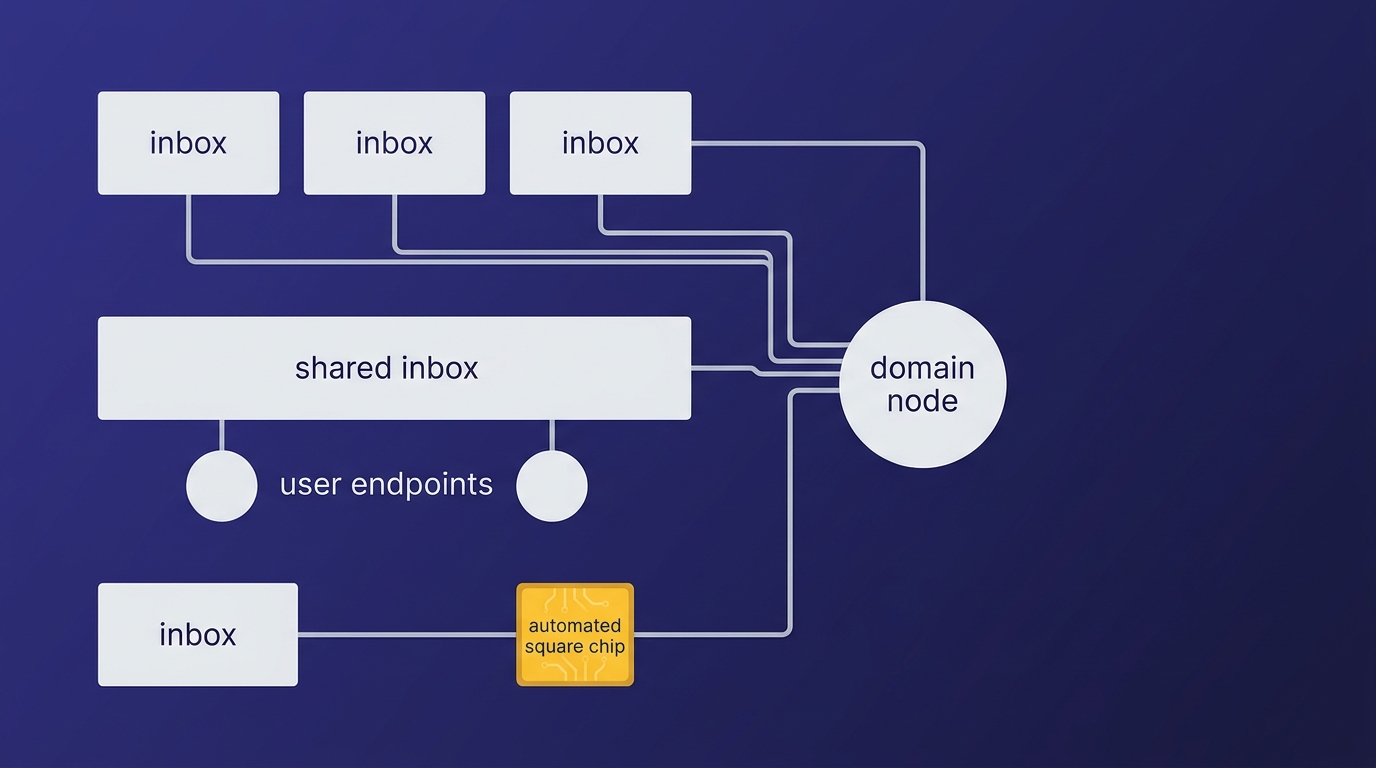
On Google, three people answering sales@ ends up as a group, one more paid seat, or a shared password. On Duobox, sales@ is a shared inbox: each person signs in with their own account and sees the same thing.
- What one person reads, the others see as read.
- Each thread can have an owner: someone takes it, and everyone else knows it's in good hands.
- Internal notes stay in the thread, and the customer never sees them.
- While someone has a reply open, the rest see Ana is replying under the subject, before they send their own.
The history belongs to the inbox, not to the person: if someone leaves the company, sales@ is still there with everything that was said. We go into detail in how to organize business email so several people can answer without overlapping.
What each one costs
Google's prices are the ones on its website, checked on October 26, 2026, in US dollars and before taxes.
| Google Workspace | Duobox | |
|---|---|---|
| One person | $7 a month on an annual plan, or $8.40 month to month | Free: 1 inbox, 1 domain and 10 GB, no card |
| Five people | $35 a month on an annual plan, or $42 month to month | $8 a month: the first person is included and the other four are $2 each |
| What's included | Email, Drive, Docs, Meet and Calendar | Email: personal and shared inboxes, aliases and import |
Both charge per person. The difference is how much, and what comes in the bundle. The point-by-point comparison is in Duobox vs Google Workspace.
How to move your mail without losing anything
What holds most people back from switching is their history. Every Duobox inbox can bring over the mail from a Gmail account using a Google app password: it brings everything, every folder with its structure, what was read, starred and answered, with the original dates. It's a single pass and then it's done. Anything that reaches Gmail afterwards comes over with Import again, which skips what's already there.
For the domain, there are two paths:
1. If you buy it on Duobox, the email records are published for you. There's nothing to copy.
2. If you already have it somewhere else, we show you a table with nine records: verification, MX, SPF, three DKIM signatures, DMARC and two for bounces. You paste them where you bought the domain and hit verify. If something isn't right, the table tells you what's missing, row by row.
If you don't want to move everything yet
A domain's mail goes to one place only: as long as yourcompany.com points to Google, that domain's addresses live there. If you want to try things out without touching it, you can set up email on a subdomain, for example to give an agent an address of its own, and leave the main one where it is.
When you decide to move the main domain, you import your mail, change the records, and the team keeps the same addresses.